This post will explain how I document all the settings of the applications that interface with my ham station. With the complexity of any ham station in interfacing both hardware and software it can get a little overwhelming to keep track of how everything is connected and or its settings. The tools that I have chosen work for me and have been real world tested (accidently).
The first thing to determine is what are you going to use to capture all these settings. Some criteria:
- Mostly platform independent (My ham computer is the only windows based computer in my home network).
- Cloud aware.
- Handle formatted documents and images inline.
With the above criteria set I found that the free version of Microsoft OneNote met all my requirements. I started by creating a notebook titled “Ham Radio” and started by creating some sections/pages. WARNING: Be careful if you have “My Documents” folder mapped to OneDrive
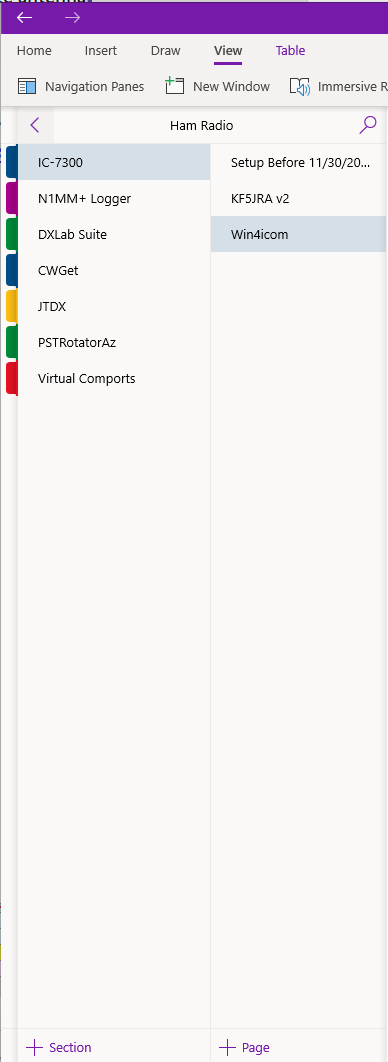
As you can see from the screenshot I have created one section for the radio and the rest are divided into various pieces of software installed. Do not make it hard a majority of this notebook is filled with screenshots using Microsoft’s SnippingTool and very little text. Also there are links riddled through out the notebook referencing resources of where I got the information.
Since this solution is cloud aware (using my free Microsoft OneDrive account) for storage and accessibility I am able to bring it up at any time from any device that is connected to the internet.
Below is a make up of my ham station (hardware, software, and the documentation utilities) I use.
Ham Station Hardware
- Icom IC-7300
- SDRPlay RSP1A
- K1EL Winkeyer3
- Antenna System
- K4KIO Hex Beam (20-6m)
- Hy-Gain Ham IV rotor
- Green Heron Engineering RT-21D Controller
Ham Station Software
- Win4Icom Suite
- DxLab Suite
- N1MMplus
- PSTRotator
- Wintelnetx
- CW Skimmer
- Utilities
Documentation Utilities
- Microsoft OneNote
- Microsoft SnippingTool
- Cloud Drive (Synology cloud drive (could easily be dropbox, onedrive, etc))
- Git (used for storing winwarbler and commander macros)